Desk Posture Improvement Tips to Fix Tech Neck
Improve desk posture improvement with easy desk stretches, tech neck exercises, and ergonomic desk setup tips to reduce discomfort from long hours of sitting.
TECH NECK FIXES
7/24/20268 min read
5 Essential Desk Stretches That May Help Reduce Desk Discomfort
Adding simple desk stretches to your daily routine may help your body feel more comfortable after long periods of sitting. These movements are not meant to replace professional advice, but they can support better movement habits and reduce feelings of stiffness for many people. The key is to move slowly, breathe normally, and avoid forcing any stretch.
1. Neck Side Stretch
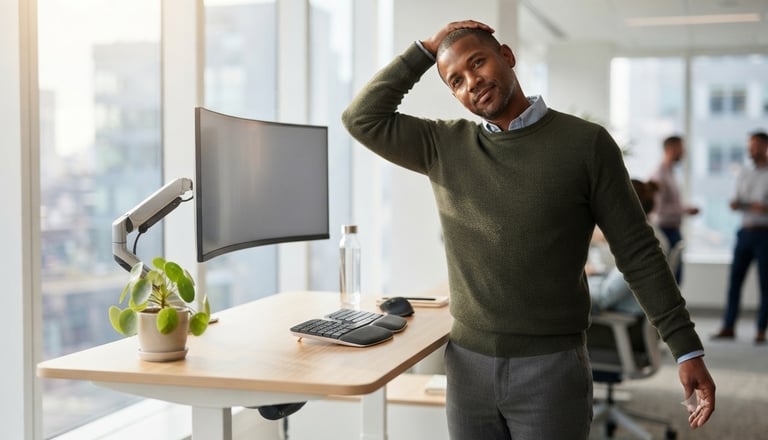
The neck side stretch is a simple movement that may help release tension after long computer sessions. To perform this stretch, sit upright with your shoulders relaxed and look straight ahead. Slowly tilt your right ear toward your right shoulder until you feel a gentle stretch on the opposite side of your neck. Hold the position for around 15–30 seconds, then repeat on the other side. Avoid pulling your head with your hand, lifting your shoulders, or making sudden movements. This stretch may help improve neck awareness and provide a relaxing break during desk work. If you feel sharp pain, dizziness, or unusual symptoms, stop the movement and consider professional guidance.
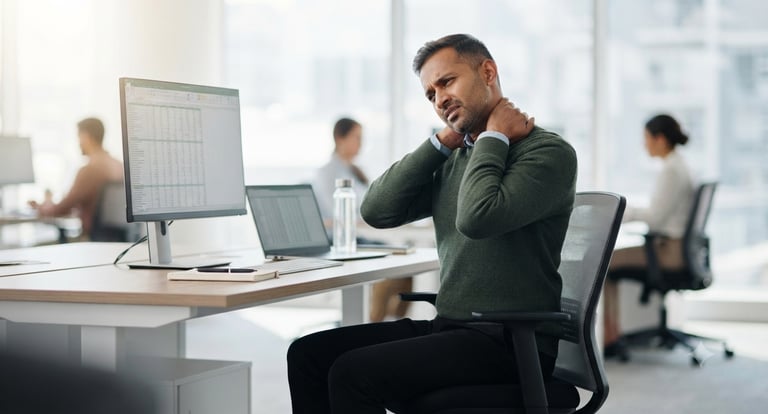
Have you ever finished a long workday and noticed your neck feels stiff, your shoulders feel heavy, or your upper back feels tired? You are not alone. Many office workers, remote employees, students, gamers, and computer users experience discomfort after spending several hours sitting at a desk. A good desk posture improvement routine is not about forcing your body into a perfect position all day. It is about creating better habits, improving your workspace, moving regularly, and becoming more aware of how you sit and work. Modern lifestyles require many people to spend long periods using computers, laptops, and smartphones, and these daily habits can sometimes contribute to problems like tech neck, forward head posture, and general discomfort from sitting. In this guide, you will learn what tech neck is, why desk workers experience neck discomfort, which desk stretches may help, how to create an ergonomic desk setup, and what simple daily habits can support better posture.
What Is Tech Neck?
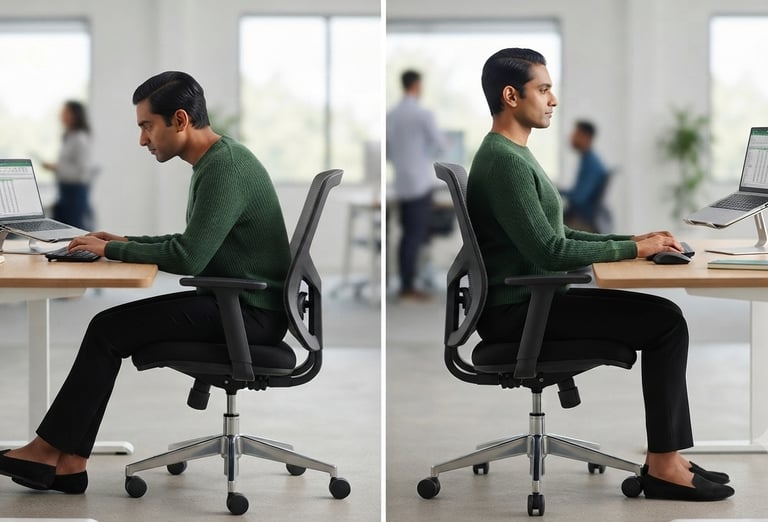
Tech neck is a common term used to describe neck and upper body discomfort that may occur from spending long periods looking down at smartphones, laptops, tablets, or computer screens. When people frequently look downward, their head may move forward from its natural position, which is often described as forward head posture. This habit is common among people who work on computers, study online, play video games, or spend many hours using mobile devices. Tech neck is not caused by technology itself but is often connected to how people position their bodies while using devices. Common habits that may contribute include looking down at a phone for extended periods, working on a laptop without proper positioning, sitting with rounded shoulders, using a monitor that is too low, and staying in one position without movement breaks. The goal of posture correction is not to sit stiffly but to create comfortable and sustainable habits.
Why Desk Workers Develop Neck Pain
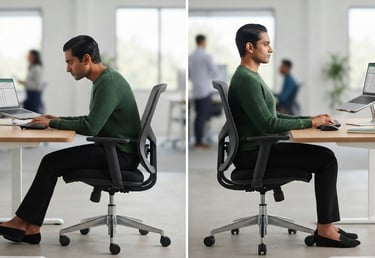
Many people who work at desks experience discomfort because their bodies remain in the same position for long periods. While sitting is a normal activity, staying still for many hours combined with poor desk posture can make the neck, shoulders, and upper back feel tired or uncomfortable. Neck pain from sitting is often related to daily habits such as incorrect screen height, poor workstation setup, rounded shoulders, lack of movement, and muscle tension.
One common cause is poor sitting posture.
Some people lean too close to the screen, allow their shoulders to roll forward, or push their head toward the monitor while concentrating. Over time, these habits may create extra stress on the muscles supporting the neck and upper body.
Another factor is screen position. A monitor that is too low may encourage looking downward, while a screen that is too far away may cause leaning forward. Creating a better workstation setup can make computer work feel more comfortable.
Lack of movement is another important factor. Even with a comfortable chair, staying completely still for hours may lead to stiffness. Simple actions like standing, walking briefly, stretching, or changing positions may help your body feel less restricted.
Stress and daily tension can also affect posture. Many people unconsciously tighten their shoulders or hold tension in their neck while working. Building awareness of these habits is an important step toward healthier movement patterns.


2 . Chin Tuck Exercise
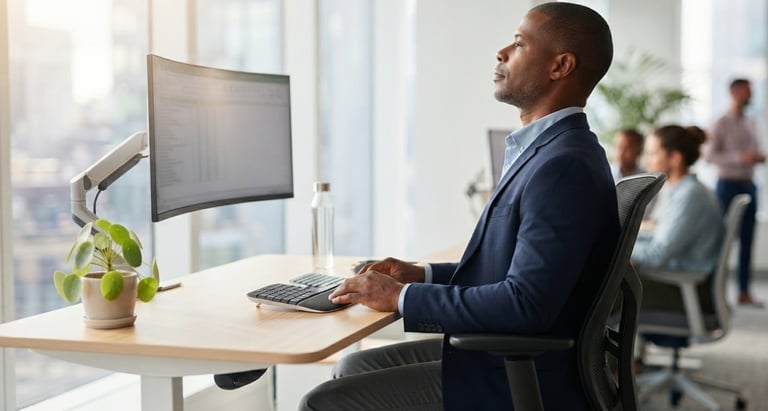
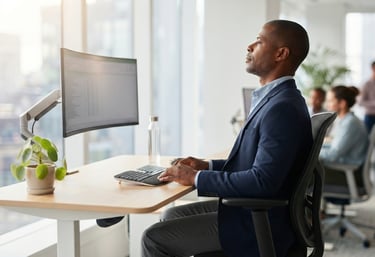
The chin tuck exercise is commonly used as a posture awareness movement that may help people recognize forward head posture habits. Sit or stand comfortably with your back straight. Look forward and gently move your chin backward as if creating a small double chin. Hold for 3–5 seconds and slowly relax. Repeat several times. Avoid looking downward, moving your shoulders backward, or tightening your jaw. This exercise may encourage a more neutral neck position during computer work.
3. Shoulder Rolls
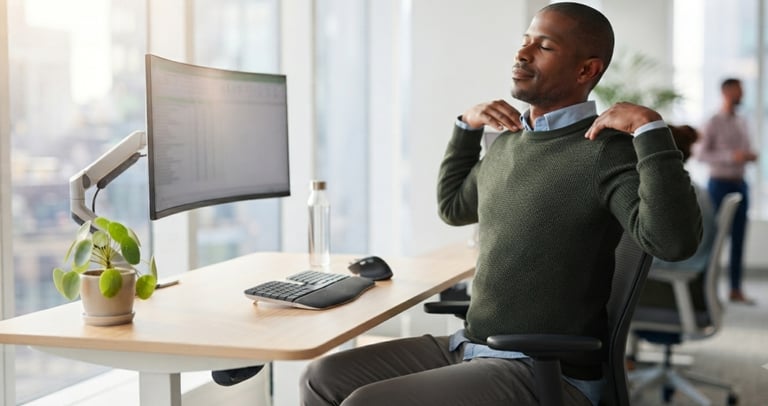
Shoulder rolls are an easy movement that can be done almost anywhere. Sit comfortably and allow your arms to relax. Slowly lift your shoulders upward, move them backward, and then lower them down in a circular motion. Continue for 30–60 seconds. This movement may help reduce shoulder stiffness and encourage relaxation after sitting. Avoid making fast or aggressive movements, and do not force your shoulders beyond a comfortable range.
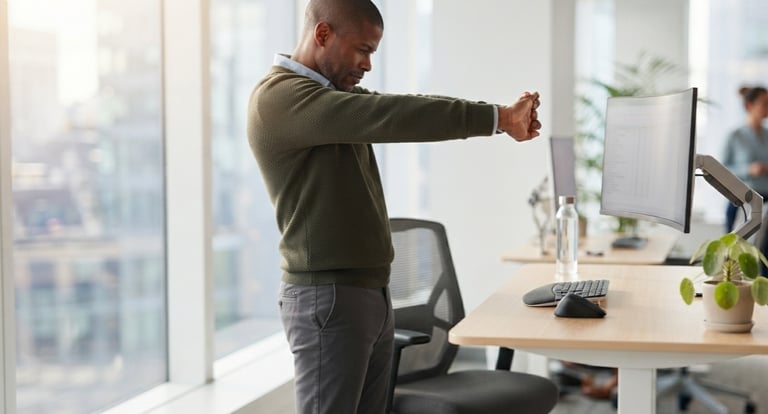
5. Upper Back Stretch
The upper back stretch may help people who feel tightness after spending hours at a computer. Sit comfortably and extend your arms forward. Place your hands together and gently reach forward while allowing your upper back to round slightly. Relax your neck and hold for 15–30 seconds. Avoid forcing the movement or holding your breath. This stretch may support better posture awareness and comfortable movement.
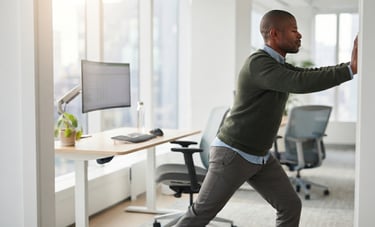
4. Chest Doorway Stretch
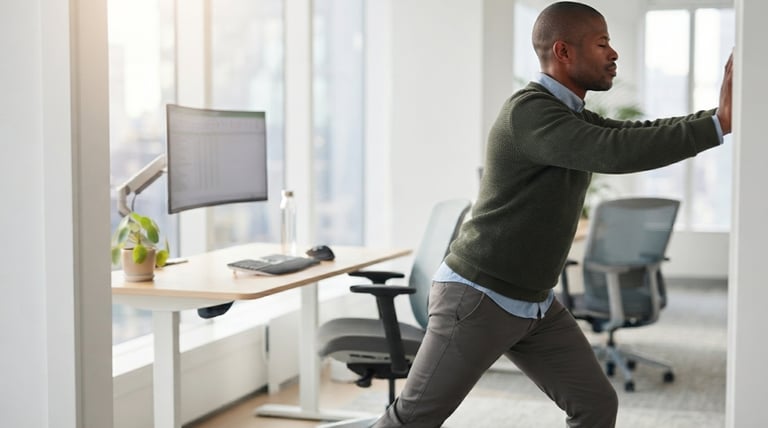
Many desk users spend hours with their arms forward while typing, which may contribute to tightness across the chest area. The chest doorway stretch can be a simple way to create movement after sitting. Stand near a doorway and place your forearms against the door frame. Step forward slowly until you feel a gentle stretch across your chest. Hold for 15–30 seconds while keeping your shoulders relaxed. Avoid pushing too far or arching your lower back excessively.
Ergonomic Desk Setup Guide: Build a More Comfortable Workspace
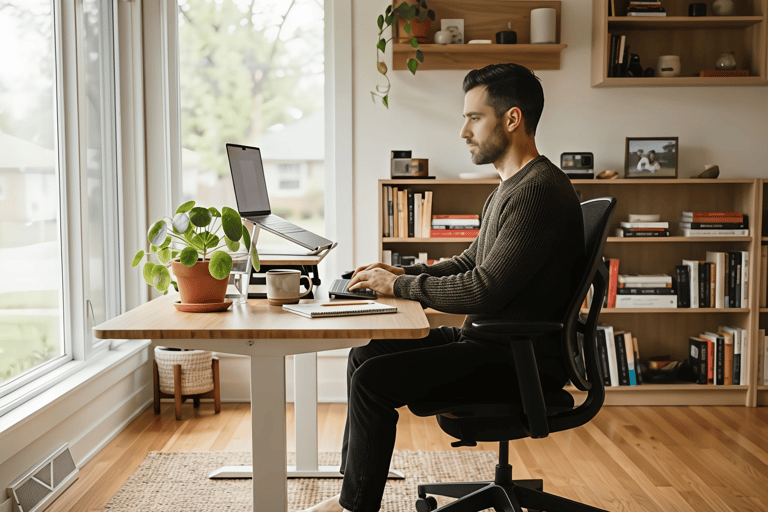
A proper ergonomic desk setup does not require expensive equipment or a complete office makeover. Small changes to your workstation may help create a more comfortable environment for working, studying, or gaming.
Your workspace should support your body instead of forcing your body to adjust to an uncomfortable position.
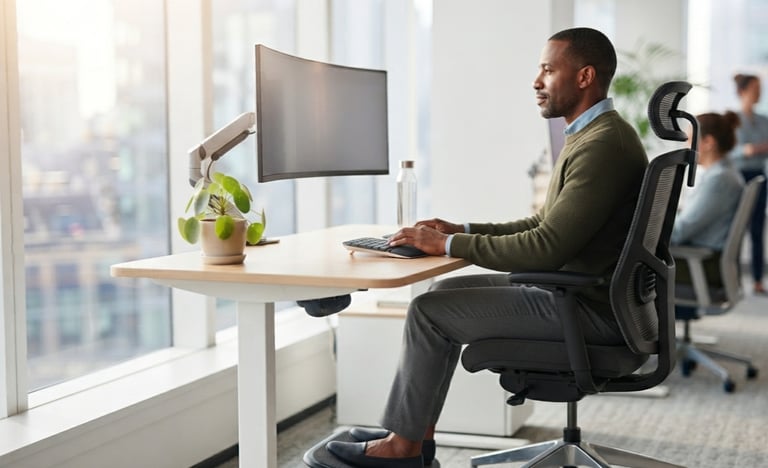
Monitor Height and Position
Your computer screen plays an important role in maintaining comfortable posture. A screen that is too low may encourage you to look downward for long periods, which can contribute to neck discomfort.
Helpful tips:
Keep your monitor close to eye level when possible.
Position the screen at a comfortable viewing distance.
Avoid leaning your head forward toward the display.
Chair Position
Your chair is an important part of office ergonomics. A comfortable chair setup may support better sitting habits.
Try to maintain:
Feet comfortably supported.
Lower back supported.
Shoulders relaxed.
Hips positioned comfortably.
Knees at a natural angle.
Keyboard and Mouse Placement
Your keyboard and mouse should allow your arms and shoulders to remain relaxed.
Avoid:
Reaching too far forward.
Keeping shoulders raised.
Bending wrists into uncomfortable positions.
Laptop Posture Tips
Laptops are convenient, but using them for many hours can sometimes create posture challenges.
Helpful adjustments:
Raise your laptop screen when possible.
Use an external keyboard and mouse for longer sessions.
Keep your neck in a comfortable position.
Movement Breaks
A good workstation is only one part of healthy desk habits. Regular movement throughout the day is also important.
Consider:
Standing during phone calls.
Walking briefly between tasks.
Stretching your shoulders and neck.
Changing sitting positions.
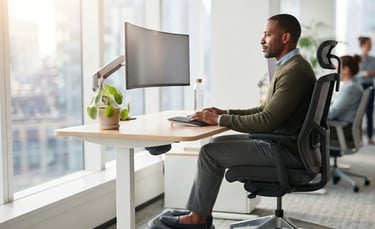
Daily Habits That Improve Posture
Better posture is created through small daily actions rather than one single exercise. Building awareness and making simple adjustments can support healthier desk habits over time.
Take Regular Movement Breaks
Long periods of sitting may make your muscles feel stiff. Try adding short movement breaks throughout your workday.
Examples:
Stand up between tasks.
Walk for a few minutes.
Stretch your shoulders.
Change positions regularly.
Improve Screen Awareness
Many people naturally move closer to their screen when concentrating. Pay attention to:
Whether your head is moving forward.
Whether your shoulders are relaxed.
Whether your screen is positioned comfortably.
Create a Daily Stretching Routine
A few minutes of movement each day may help you stay aware of your posture.
Simple options:
Neck stretches.
Shoulder movements.
Upper back stretches.
Gentle mobility exercises.
Stay Physically Active
Regular physical activity outside work hours may support overall movement quality and body strength.
Build Healthy Work Habits
Helpful habits include:
Setting reminders to move.
Adjusting your workspace.
Avoiding extremely long periods without breaks.
Listening to your body's comfort signals.
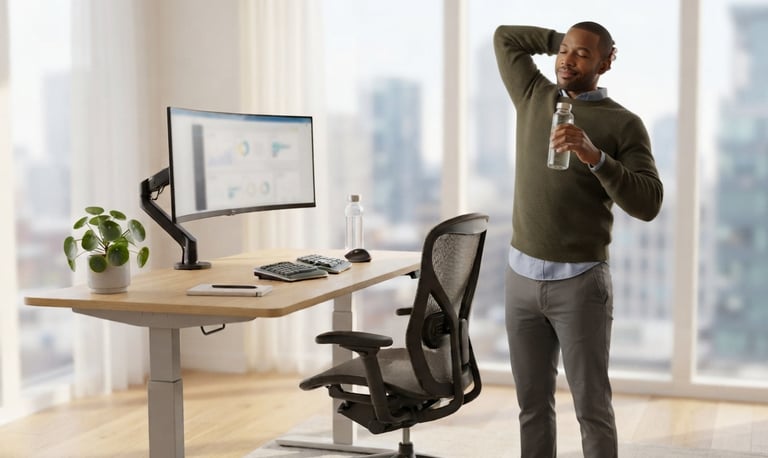
Common Desk Posture Mistakes To Avoid
Even when you have a comfortable chair and a good workspace, small daily habits can affect how your body feels. Improving desk posture is not about sitting perfectly all day. It is about creating realistic habits that help you stay comfortable while working, studying, or using technology.
Looking Down at Your Laptop for Long Periods
One common mistake is placing a laptop too low and spending hours looking downward. This position may encourage forward head posture and create extra stress around the neck and shoulders.
Better habits include:
Raising your laptop screen when possible.
Keeping your neck in a relaxed position.
Using an external keyboard for longer work sessions.
Rounded Shoulders While Working
Many people naturally move their shoulders forward while typing or focusing on a screen. Over time, this position may contribute to upper body stiffness.
Try to:
Keep your shoulders relaxed.
Avoid constantly rounding your upper back.
Take regular movement breaks.
Sitting Too Long Without Movement
A comfortable chair does not mean your body should stay completely still for hours. Regular movement is an important part of office ergonomics.
Helpful habits:
Stand up regularly.
Walk briefly during breaks.
Change your sitting position throughout the day.
Incorrect Chair Adjustment
A chair that does not fit your body may make comfortable sitting more difficult.
Check:
Are your feet supported?
Is your back comfortable?
Are your shoulders relaxed?
Is your screen positioned correctly?
Ignoring Early Discomfort
Many people ignore small signs of discomfort until they become distracting. Paying attention to your body and making small changes early may help you build better long-term habits.
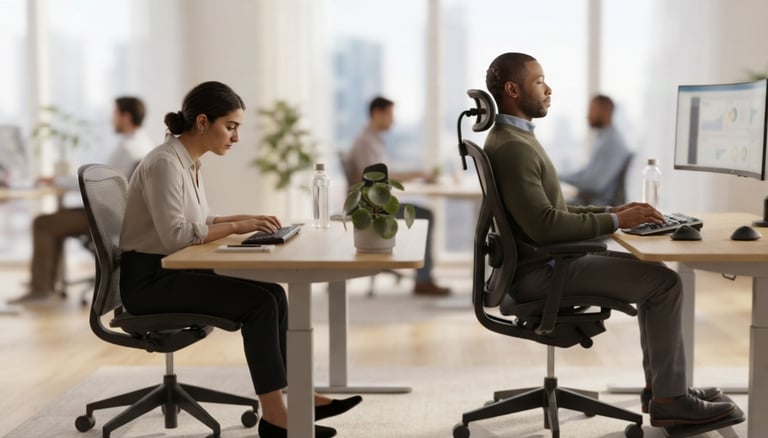
Conclusion: Better Desk Habits Start With Small Changes
Spending long hours at a computer is part of modern life for many people, but your daily habits can make a difference. Improving your desk posture improvement routine does not require perfection or expensive equipment.
Small actions like adjusting your monitor, creating an ergonomic desk setup, practicing desk stretches, and taking regular movement breaks may help you feel more comfortable during your workday.
Good posture is not about forcing your body into one position. It is about awareness, movement, and creating habits that support your lifestyle.
Whether you work from home, study, code, game, or spend hours online, small improvements can help you build a healthier relationship with your workspace.
"Start Building Better Habits Now"
Want to create a more comfortable workspace?
Visit DeskPostureFix.online for practical guides about:
✓ Desk posture improvement
✓ Tech neck exercises
✓ Ergonomic desk setup
✓ Office ergonomics
✓ Stretch routines for desk workers
✓ Healthy work-from-home habits
Start with one small change today and build better posture habits step by step.
Desk Posture Fix
Evidence-informed desk setup blueprints and micro-movements for remote professionals.
Guides
Home
Guides
About
FAQ
Contact
Privacy
© 2026 Desk Posture Fix-Practical, non-clinical desk ergonomics.
Active movement - dynamic setups